Contents:
- 0 Step: Registration
- #1 Step: English Proficency Pest
- #2 Step: System Check
- #3 Step: Learning Kit
- #4 Step: Demo Lesson
- #5 Step: Teaching Material Comprehension Quiz
- #6 Step: Profile Completion and Pay Rates
- #7 Step: Final words
First of all, I would like to say that I am making this tutorial, because It would be of great help if I had some kind of prior knowledge about the application process. I tried googling it but I found nothing that would really help. Only some unclear explanations. Even though this process wasn’t that hard, it would be much easier for me If I had known what to expect. I wouldn’t go through all this nervous and blind. And that is why I am making this, so I can help those people who will apply for this job in the future. And I will also write down the current pay rate for this company. I found it frustrating that it is so hard to find any information about pay rates online. Basically, if the company doesn’t have pay rates published on their site, you can only ask someone in person or find out after you start working for them…
0 Step: Registration
So this is the first step on your way of becoming an online English teacher working for Native Camp. Obviously an easy one. All you have to do is to enter your e-mail and password in this form here.
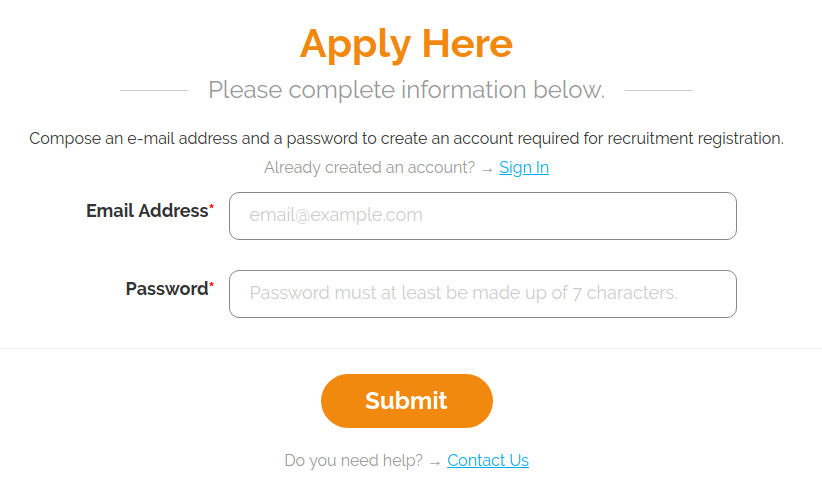
After that you will get an e-mail from Native Camp Team to confirm your account and start the application process.
After you click the activation link, you will get this:
Now after clicking “Next Step” you have to fill in your account information
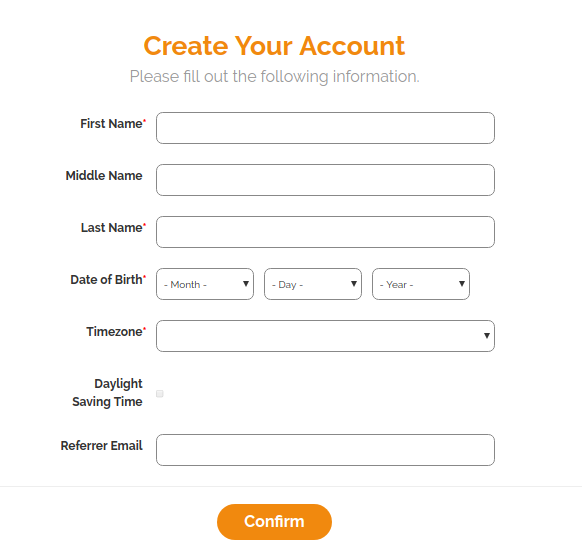
As you can see there is that Referrer E-mail field there.You can enter your friend’s e-mail if he is working for Native Camp or somebody can enter yours if you get accepted and start working. Of course, there is a small incentive for each referral. So if you have a friend working in NC you can enter his e-mail. And if you have no one you can enter mine if you wish (milan.kuc96@gmail.com) and if you think I deserve it. You can also e-mail me if you have any additional questions. I will be glad to help!
So now after submitting your information you have completed your profile. Congrats!
But before you proceed, pay attention to THIS!↓
 You don’t have to schedule anything you can do all the steps at your own pace. This is good, but it can be bad as well. If you are prone to procrastinating things.
#1 Step: English Proficency Test
Here your knowledge of English language will be tested, obviously. Test isn’t hard, but it does have 20 minutes time limit once you start doing it.
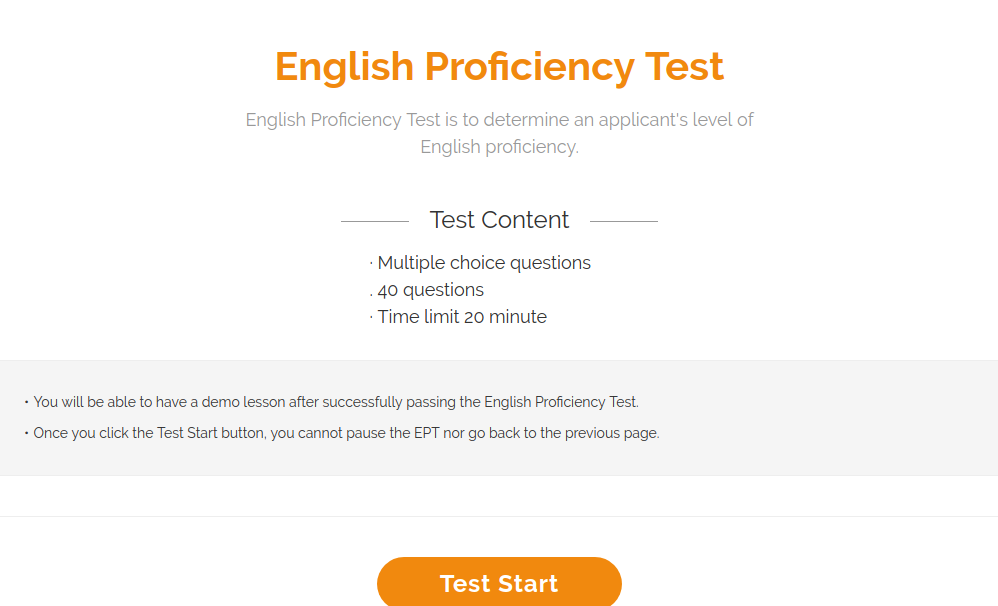
I did it without any prior knowledge and I scored 93%, and don’t worry about the time limit because I actually had time to google some of these questions and I found them on google, with answers of course. Overall you can score enough to pass even without help, because you need 75% of correct answers to pass and only 3 or 4 questions are kinda tricky. So don’t worry too much.
QUESTIONS
There will be 40 questions that will always be the same, but they will appear in a different order every time. I screenshoted and uploaded them of course and you can find all of them HERE. That’s it for this part, most of you if not all will pass it probably. But good luck anyway! 😀
#2 Step: System Check
This step actually has 2 system checks,
First: You will check your equipment on the website.
Second: You will have system check with someone from native camp. It won’t last long, they will only ask you “Are you using wired or wireless connection” and “What is your internet speed?” and maybe to something short about yourself. Eg. Age, Nationality, Work experience, Education, etc.
I actually made a video tutorial for this first step, it is my first video tutorial ever actually. 😀 You can check it out HERE.
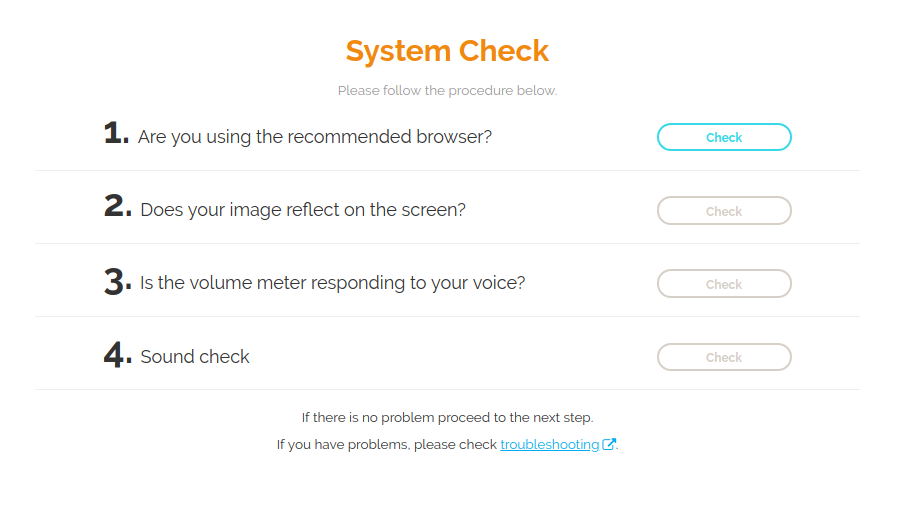
Browser > Camera > Microphone > Headphones
After doing this check, you will have to do system check . There will be a short interview during the check. It is just a brief introduction of yourself for the NC staff to see for themselves that there are no background noises on your work place. To do this check you will clikc “System Check” button and wait for someone from NC to answer. If they don’t answer for a few minutes, refresh your page and try again.
System Check with NC staff can be done from Tuesday to Saturday, 10:00 a.m to 8:00 p.m.
#3 Step: Learning Kit
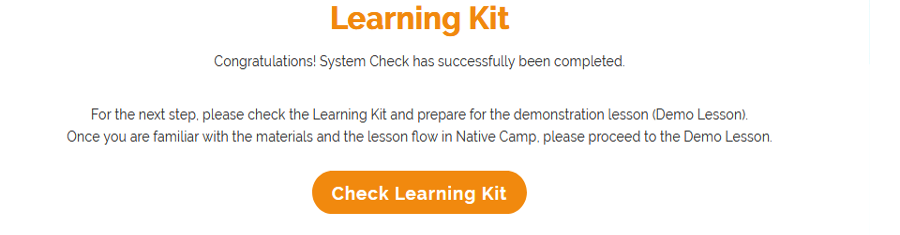
Here, you will have to watch the sample demo lessons and read the guidelines in conducting classes.
The videos will help you in conducting the demo lesson, learn the lesson flow and the lesson material to ace the demo with the NativeCamp staff.
HERE is a screenshot of the whole Learning Kit page that you will see. I didn’t attach it here because its height is like 6000 pixels and it would take too much space on this page.
On this page you will also have 3 video examples and 2 lesson materials to check.
Lessons:
Grammar Beginner 4: Why do you need natto?
Grammar Middle 32: Would you mind closing the window?

When you do the demo, you choose a lesson from this drop down list above.
But you can only choose from the lessons that you studied, so you are not preparing for similar lesson like these, but for those two lessons exactly.
Now, below there is an image of lesson flow, and I tell you where I made mistakes so you won’t.
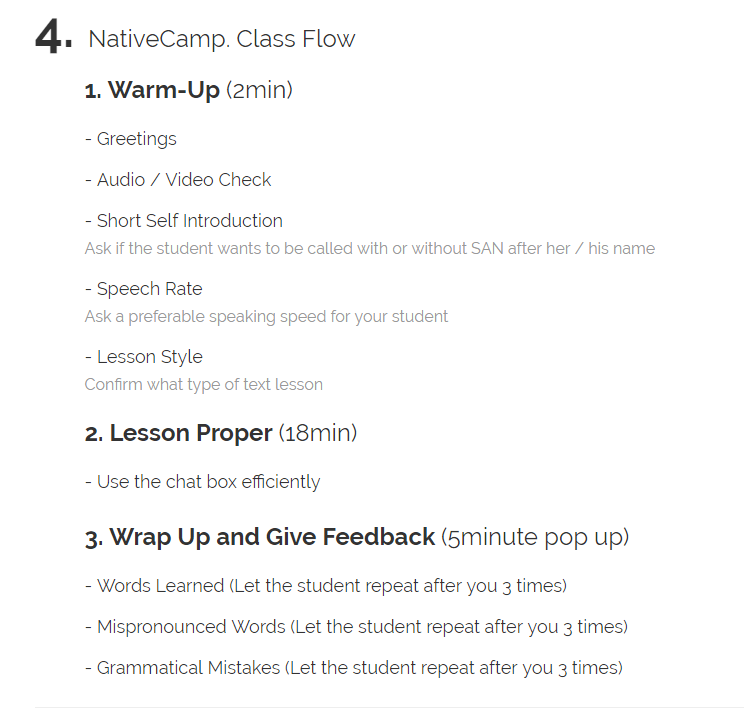
1st: At Greetings part I didn’t say “Hello, welcome to Native Camp” when I begun the lesson.
2nd: I told my student(interviewer) to repeat her grammatical mistake after me only once, and I should have told her to do it three times.
Although these mistakes were minor, they were still mistakes. I wanted to point them out, so that the same doesn’t happen to you.
#4 Step: Demo Lesson
There is not much left to say about this part, we covered most of it in our last section.
But still I want to tell a few more things about this part, and give you some more advice.
First of all I want to praise Native Camp, I had an easygoing interviewer, and you get to know if you passed right after your demo. Some companies don’t tell you if you failed or not, but tell you that they will send you an e-mail about your result and you never even get any mail. So you failed but they keep you on your toes and you never get any information. That’s really evil if you ask me.
And my advice to you for your Demo is to be smile, relax and enjoy what you are(will be) doing, teaching people! That is one amazing and interesting thing to do, I assure you.
You have all you need right in your lesson, your instructions are red.
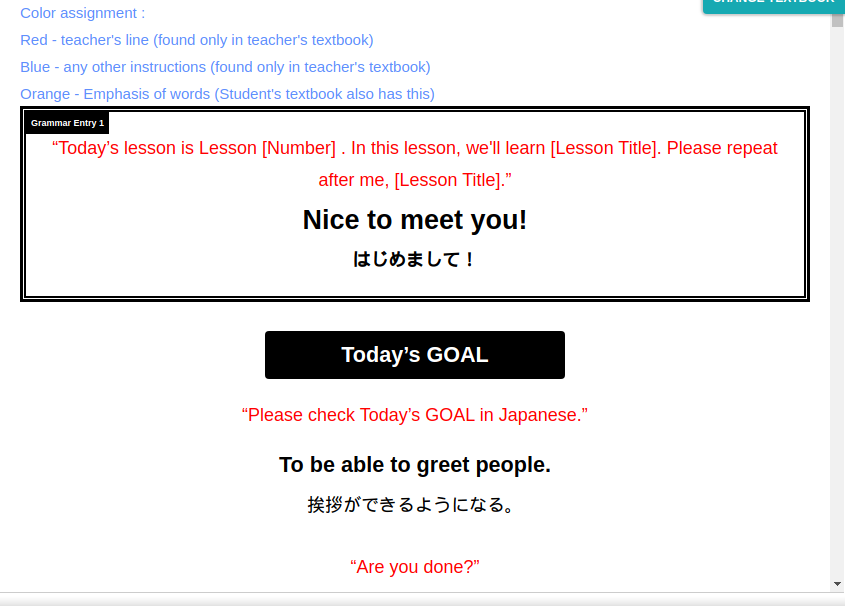
Just remember things that you don’t have in your lesson:
Say: “Welcome to Native Camp”
Practice new words, correct mistakes, correct mispronounced words at the end of your lesson.
Now go and rock that Demo, I know you can do it!
#5 Step: Teaching Material Comprehension Quiz
After passing the Demo Teaching Material Comprehension Quiz.

It is easy. The questions are simple, and if you fail you can try again right away. Until you succeed.

HERE are screenshots of all the quizzes except for the first one, I forgot to screenshot that one. Dumb me 😀
#6 Step: Profile Completion and Pay Rates
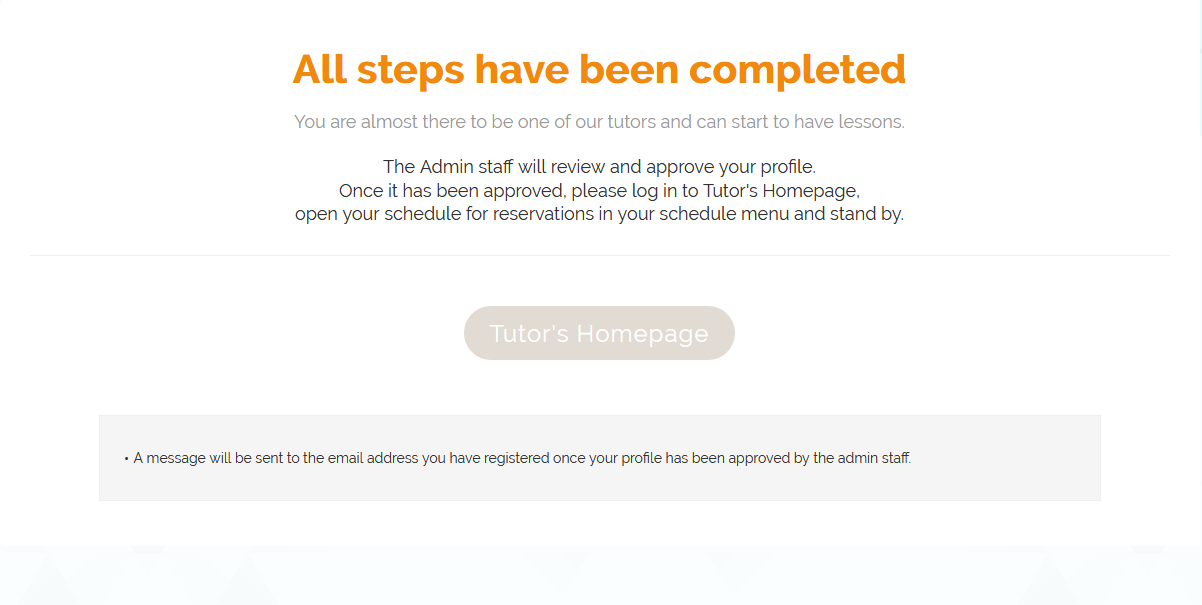
After finishing quizzes your final task will be to complete your profile information, and after finishing that you will get this message.
Now about payments, Native Camp has its own value NCC(Native Camp Coin), which is converted to USD and then transfered to your paypal.
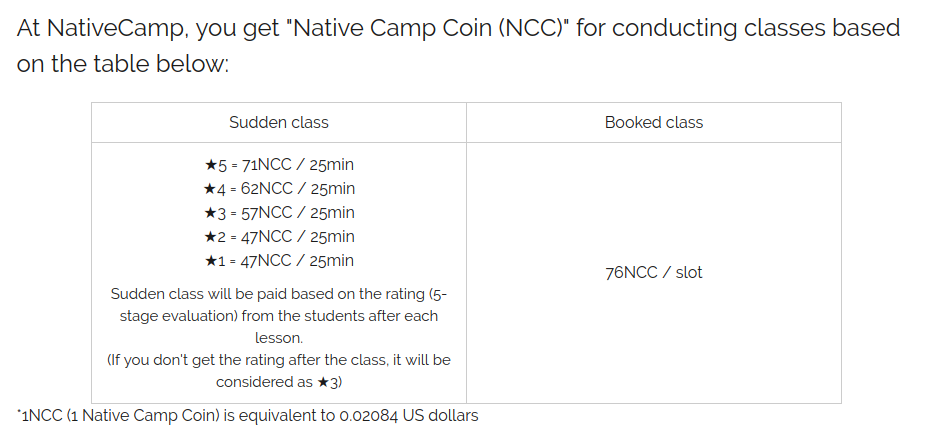
If we do the math. We get this:
1 and 2 star rating = $0.9795
3 star rating = $1,18788
4 star rating = $1,29208
5 star rating = $1,47964
Booked lesson = $1,58384
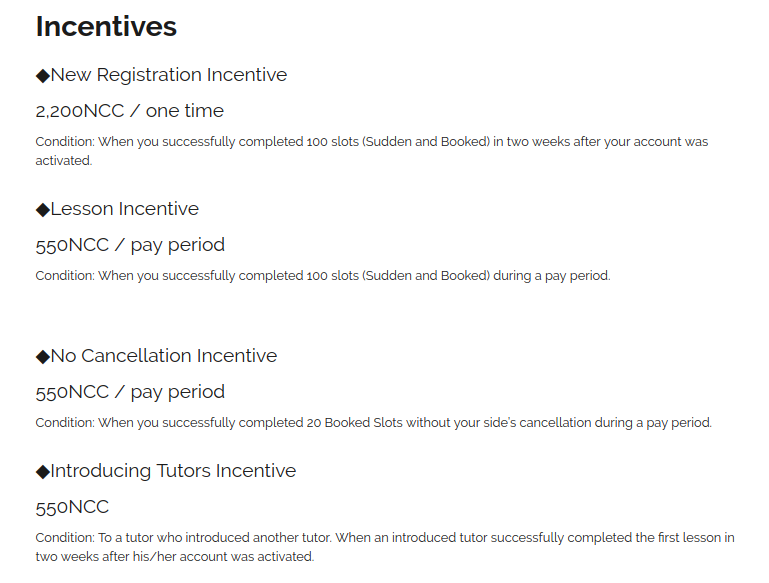
Native Camp often offers incentives as well, which increase your earnings significantly.
#7 Step: Final words
Thank you for visiting my blog, I hope that I helped you achieve your goal. Now if you did, go and meet all those amazing students from Japan. Have fun, a lot of it. Earn a lot and spend it well
And if I helped you and you want to help me, enter my e-mail as your referral.
Have fun teaching 😉
And if you have any more questions ask me in the comment section or email me.

 Native Camp Application Tutorial
Hi there, Milane. I would like to know if you are still working at NativeCamp.
LikeLike
Hi. Thanks for this. Would have loved to see this before i went in, but unfortunately, i didn’t.
I have completed the English proficiency test and system check.,was told to study the learning kit in preparation for the demo class. but i haven’t been able to access the learning kit. If i click next step, it keeps taking me back to the system check page. what could be the issue?
Thanks.
LikeLike
Thanks for this man! It’s really helpful.
LikeLike
thanks so much….. this information helps me a lot so i decide to register trough your referal link…… but the only question is when can i start teaching the student, can i teach them at night when everywhere is cool around me
LikeLike
If I did not pass the demo lesson, how can I retake it? Can I also re-apply with same first and last names but with different email address?
LikeLike
Yeah, sure you can they don’t have Pentagon like security xD
LikeLike
how if i failed my demo lesson..
LikeLike
Hi. Do you have any tips on how to conduct the Grammar Middle lesson “Would you mind closing the window?”
LikeLike
Thanks a lot for this. I did put your referral.
Btw, now, I am supposed to the demo lesson. In the instructions they mentioned we should prepare all the lessons, but I cannot fine any other lesson besides these 5 (3 videos and 2 in written format).
So will they choose one out of these 5 or there are more?
Again, thanks a lot!
LikeLike
I did not get through the demo.. that lady was very rude.. cos I had done all the steps correctly.. can I reapply with different email ID
LikeLike
In my part, I want to reapply in native camp again, but then again I cannot sign in even I already make a new gmail account. When I log in my new gmail account it was stated that Invalid email address and password combination. I am confused? Why is it invalid then i can opened and use my new gmail account?
LikeLike
This helps a lot! Thank you! Hope to pass and be part of NC!
LikeLike
Try doing it in the incognito browser window or from another device.
LikeLike
Yeah, sure.
LikeLike
The lesson will be “Grammar beginner 4: Why do you need natto”. It is always that one.
LikeLike
You can have the demo lesson 3 times. After that you have to wait a month before applying again with the same email.
LikeLike
No need, the demo lesson is always “Grammar beginner 4: Why do you need natto?”
LikeLike
Hi! What if I encountered technical error during the system check, can I still repeat the system check?
LikeLike
Yeah, you can repeat the system check as much as it’s needed.
LikeLike
Yes, you can.
LikeLike